
JS Business Solutions Blog
JS Business Solutions Blog
JS Business Solutions has been serving the Attleboro area since 2012, providing IT Support such as technical helpdesk support, computer support, and consulting to small and medium-sized businesses.


Running a business requires you to juggle dozens of priorities, and unfortunately, keeping your technology secure often falls right to the bottom of the list. It is easy to look at cybersecurity as an over-emphasised threat that only happens to massive corporations.
If only it were so.
Most technology-related risks aren't the result of some mastermind hacker breaking through your firewall. They are the result of simple, everyday habits that leave the door wide open. The process to fix them is actually pretty simple. Here are four common technology risks businesses face, and why doing the exact opposite is the best way to keep your business secure and productive.
0 Comments

For years, traditional security advice told us that a strong password required an uppercase letter, a number, a special character, and a mandatory reset every 90 days. If you have ever found yourself typing "Spring/2026" just to satisfy a prompt on your screen, you are not alone. In fact, these complex requirements actually made our accounts less secure by forcing people into predictable habits.

Microsoft is officially ending support for SMS and voice multi-factor authentication (MFA) in Entra ID. To combat modern cyber threats, Microsoft is replacing legacy phone verification with secure, cryptographic passkeys. Organizations must begin preparing their IT environments immediately to ensure uninterrupted network access for their workforce.

Many business owners struggle to balance data security with employee convenience. When you force your team to change their passwords constantly and include a complicated string of numbers and symbols, they often write them down on sticky notes. This practice completely defeats the purpose of your security measures and leaves your business systems vulnerable to unauthorized access. You need a straightforward approach that protects your company data without frustrating your workforce.

How well is your business secured? At the very least, you’re bound to have a lock on your business’ doors, with additional locks protecting different rooms, desk drawers, and other resources, right? Of course… otherwise, you’re leaving your business vulnerable to all kinds of crime.
You need to have the same prepared for the digital side of your business as well, in the form of written policies. Let’s go over five of the security policies you absolutely need.

Did you hear about the recent data breach that exposed 16 billion passwords for logins, including social media accounts, virtual private networks, and corporate tools? While the breach is bad, yes, the truth of the matter is that the situation may be misleading, at least on the surface.
Let’s take a look at why and learn a few lessons in the process.
In this blog and our conversations with clients, we frequently discuss the importance of protecting accounts with complex and unique passwords and multi-factor authentication. These actions are crucial, but there is a tool out there that can really improve any business’ account security: the password manager.
Today, we’ll discuss the password manager and why it is such a great tool for keeping passwords complex and secure.
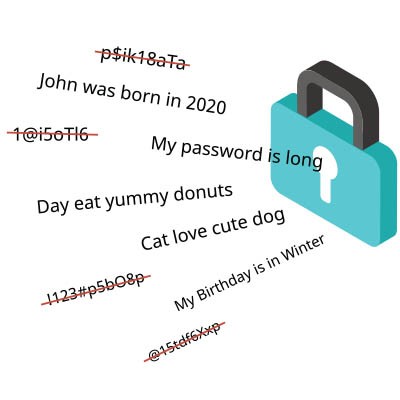
Strong passwords are extremely important these days. Cybercriminals only need low-end hardware to crack millions of passwords at once, so it's critical to use random, complex strings of characters.
The bigger problem most users have is using unique passwords for each and every account. Any account is liable to be compromised at any given time, and you might not even know about it. If your password is compromised, the bad guys can use it to access all of your other accounts.
No one actually likes to talk about password security, but it’s incredibly important to the ongoing security of your business. If you or any of your employees are using any of these commonly used passwords, then read on; you’re someone who desperately needs to reconsider their password policies.
Password management is always a sticking point for businesses (and even individuals), but it doesn’t have to be as hard as you make it. With the increased risk of cybersecurity attacks and advanced threats, you cannot rely on one singular password as you may have once done. Instead, you need complex passwords housed in a password manager that makes remembering your passwords significantly easier.
Passwords are the main line of defense between your data and the myriad of people who want to use it for their own benefit. Knowing the major threats is important with so much pressure on your passwords. Today, we’d like to provide a cheat sheet to help you manage your passwords more effectively.
Weak passwords are one of the leading causes of cybercrime, identity theft, and data breaches. Sure, it’s easy to say it, but this time we wanted to demonstrate just how easy it is to crack a wimpy password.
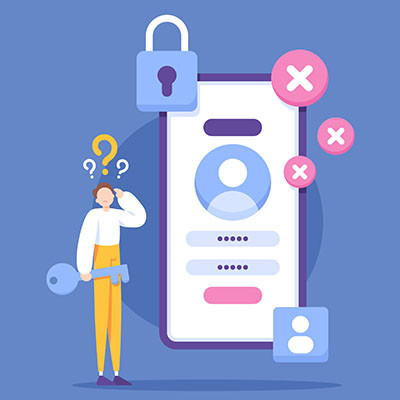
Uh oh. You were trying to be more secure and decided to set up multi-factor authentication. However, you’ve just discovered how important the other factors are when it comes to authenticating your identity. Yes, you’ve found yourself unable to access your means of authenticating yourself.
So…what do you do now?

In August, LastPass suffered a data breach that allowed hackers to access the LastPass source code. Let’s take a look at this situation and see what you need to do to maintain proper password security moving forward.

We’d be the first to admit that, as much as we’d recommend that you use multi-factor authentication wherever it is available, MFA isn’t perfect. This makes the idea that an improvement to these methods is on the horizon an intriguing one. Let’s discuss what may become the new and improved standard fairly soon.

Creating secure passwords is not always the easiest thing in the world, as evidenced by many individuals opting to go with the same password for multiple accounts. Thankfully, you have us to help walk you through how to make a secure password. Let’s discuss some of the best practices associated with passwords and how you can get started using them to maintain security for your online accounts.

Passwords have been front-and-center for data security since 1960, but even their creator–MIT researcher Fernando Corbató–doesn’t think he should take full credit passwords. In fact, if you brought this up to the researchers who did create them, they would tell you that the security concerns for their time were much more limited.

Passwords have long been a staple against security threats, but the password could soon be a thing of the past. Microsoft is advancing toward this new concept, but what does it mean for your business? Let’s take a look and see what going “passwordless” can mean for an account’s security.

As the preeminent form of security online, passwords are currently the most important frontline defense to get right in your organization. However, many people often cut corners with their passwords to ensure they don’t forget them, recycling them across their many accounts. Let’s go over a few ways to help your team create secure passwords that they can commit to memory without shortchanging their efficacy.

We will often keep an eye on current events to find practical examples to use as evidence in support of our recommended best practices, but a relatively recent Spotify hack has given us a special opportunity. We now have the opportunity to use this one story to reinforce not one, but two such practices. Let’s dive in, shall we?

Request a Consultation
JS Business Solutions strives to provide the best comprehensive IT, Computer, and Networking services to small businesses. We can handle all of your organization's technology challenges.
Contact UsContact Us
Learn more about what JS Business Solutions can do for your business.
12 Pratt Street Suite 103,
Mansfield, Massachusetts 02048
Call us: (781) 715-1900
Network Assessment
Our network assessment will reveal hidden problems, security vulnerabilities, and other issues lurking on your network.